| This article applies specifically to organizations using the HRIS Sync integration. |
Overview
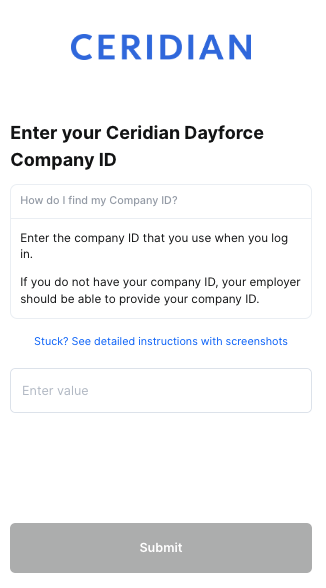
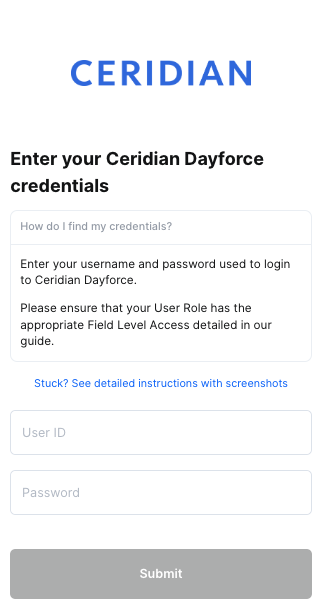
To authenticate Dayforce HCM (formerly Ceridian Dayforce HCM) using your credentials, you will need to provide the following information:
- Company ID
- Credentials
This guide will walk you through finding or creating those credentials within Dayforce.
Prerequisites
Please ensure that you update the Role that you are configuring for the integration to be the Default role. To change a Role to become your Default, go to System Admin User. Find the User you want to update (this would likely be your own User), click on the User and select the "Is Default" checkbox to the Role that you will be configuring for this integration.
Instructions
Step 1: Configure Feature Access
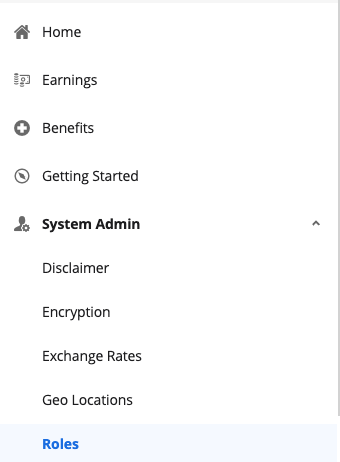
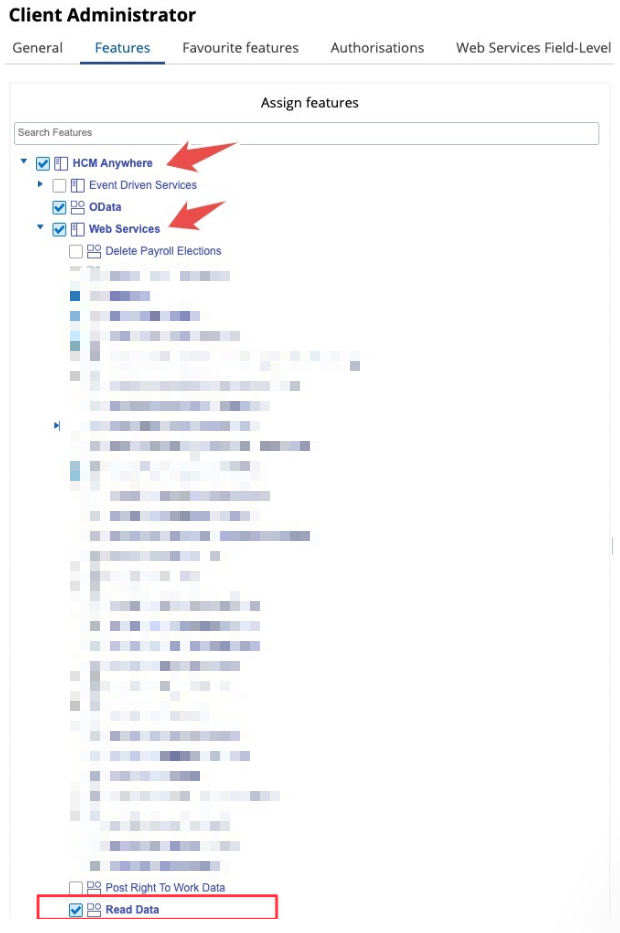
- From the hamburger button in the top left of your screen, click on System > Admin Roles
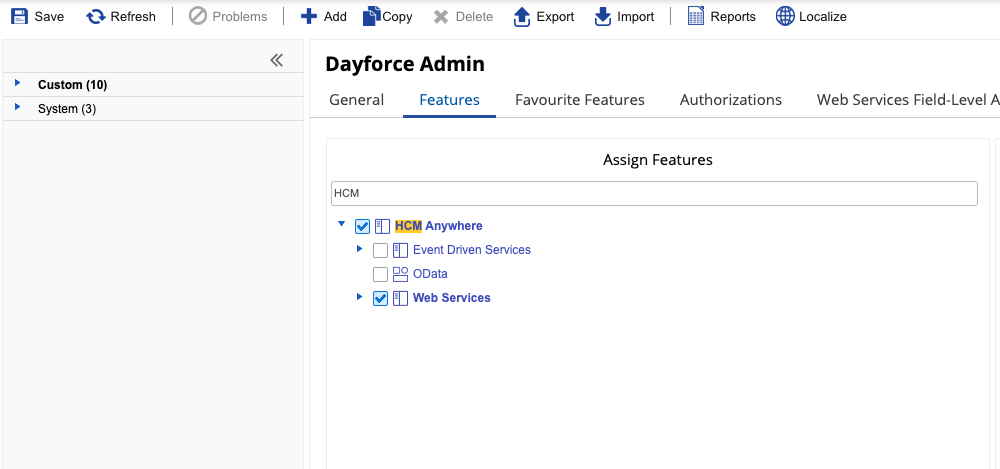
- Navigate to Features. Ensure HCM Anywhere and Web Services are checked
- Expand Web Services and make sure that Read Data is checked. If you need to PATCH/POST data you will need the associated checkboxes marked as well
Step 2: Configure Authorizations
- Navigate to Authorizations
- Select Can Read for the following (depending on your use case):
- Employee Contact Information
- Employee Contact Information - Business
- Employee Contact Information - Personal
- Employee Financial Information
- Employee Key Information
- Employee Historic Pay Information
- Employee Pay Information
- Employee Personal Information
- Employee Personal Information XrefCode
- Employee Profile – Security Settings – Role
- Employee Properties *for custom fields*
- Employee Status Information
- Employee Work Assignment – Primary Records
- Employee Work Assignment – Secondary Records
- User Information
Step 3: Configure Web Services Field-level Access
- Navigate to Web Services Field-level Access
- Navigate to the RESTful Services - Human Resources - Employee:
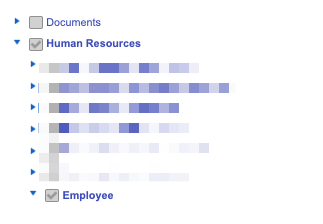
- Enable EffectiveStart, EffectiveEnd, and XRefCode
Then, depending on your use case:
If you need names:
Enable FirstName and LastName and CommonName
If you need managers:
Right-click Employee managers and Select All
If you need employment status:
Right-click Employment Statuses and Select All
Right-click Employment Status Group and Select All
If you need location information:
Right-click Locations and Select All
If you need employment information:
Enable RESTful Services Human Resources EmployeeWorkAssignment (and all child nodes)
If you need pay information:
Enable RESTful Services Human Resources EmployeeCompensation (and all child nodes)
If you need emails/contact information:
Enable Contacts and Addresses (and all child nodes) under RESTful Services Human Resources Employee
If you need Social Security Number:
Enable RESTful Services Human Resources socialSecurityNumber
If you need gender:
Enable Gender
If you need marital status:
Enable MaritalStatus
If you need birth date:
Enable BirthDate
If you need start date or hire date:
Enable StartDate and HireDate and OriginalHireDate
If you need Groups:
Enable RESTful Services Configuration Location (and all child nodes) AND RESTful Services Human Resources OrgUnitInfos
If you need Time Off:
Enable RESTful Services Human Resources Workforce Management EmployeeTimeAwayFromWork (and relevant child nodes) If you need Custom Fields (employee properties):
Enable RESTful Services Human Resources EmployeePropertyValue
Step 4: Configure Org-Level Access
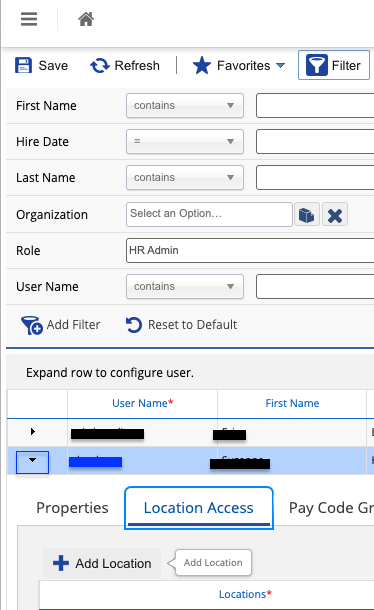
- Navigate to System Admin > User. Please note, the user authenticating will need "Can See Self" enabled
- Expand the User by clicking on the small down arrow as shown in the blue box below. Click on Location Access, + Add Location, and add the Company Level Location
Step 5 (optional): Configure Role Assignment for POST & PATCH
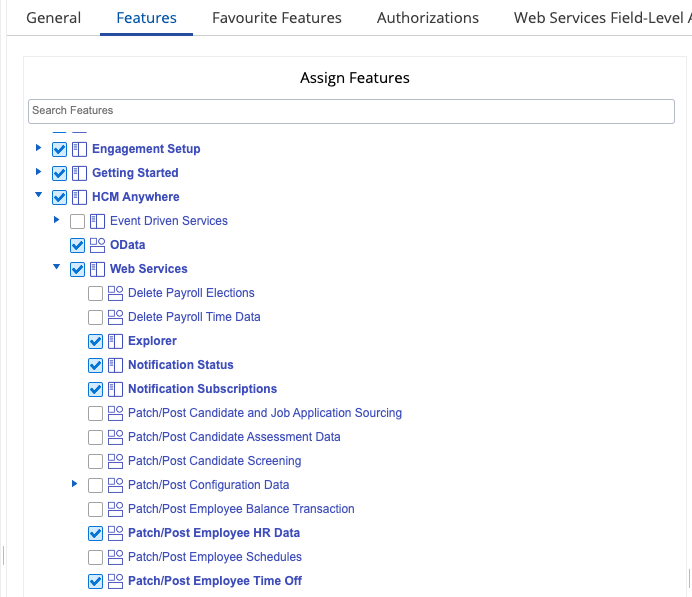
- If you need support for writes functionality (ie POST /Time-Off), please configure the following as well
- From the hamburger button in the top left of your screen, click on on System Admin > Roles
- Navigate to Features. Ensure under HCM Anywhere and Web Services Patch/Post Employee Time Off is enabled
Step 6: Authenticate with your credentials in the linking flow
Gather your Company ID, User Name, and Password. Enter them into the linking flow and click Submit