| This article applies specifically to organizations using the HRIS Sync integration. |
Overview
This guide will walk you through configuring a custom access level in BambooHR to enable data required for a basic user provisioning use case.
Prerequisites
Please ensure you fulfill all the requirements to set up the integration:
- You have a Custom Access Level that you want to update permissions for
- Your use case for this integration is to provision user access. Data related to compensation, pay, and/or time off will not be accessible after following the steps outlined in this guide
Instructions
Step 1: Edit the access level for other employees
- Click the settings icon in the top right
- Click Access Levels
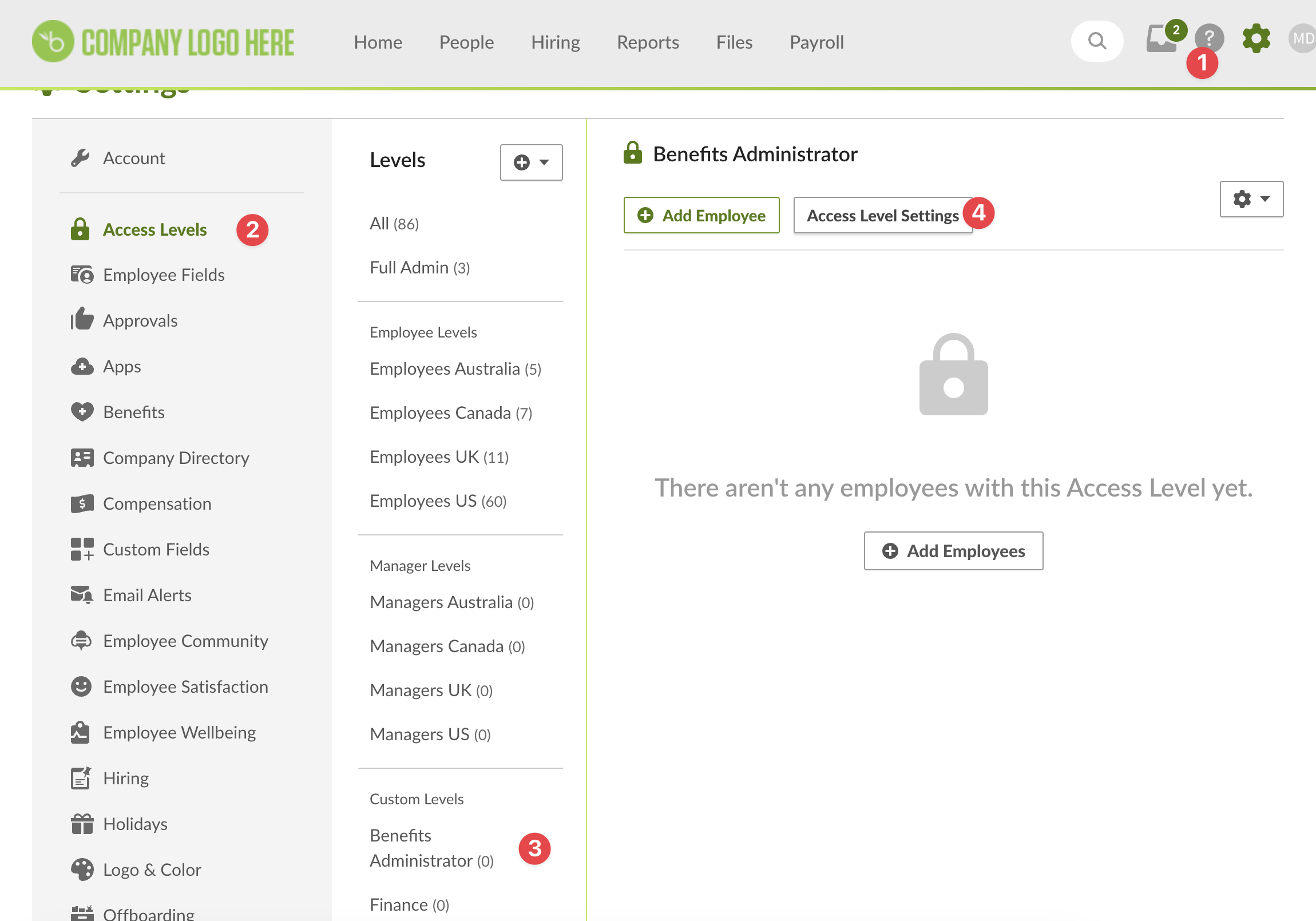
- Click on the access level you want to edit and hit Access Level Settings
- Select "ALL EMPLOYEES" for whom this access level can access the information.
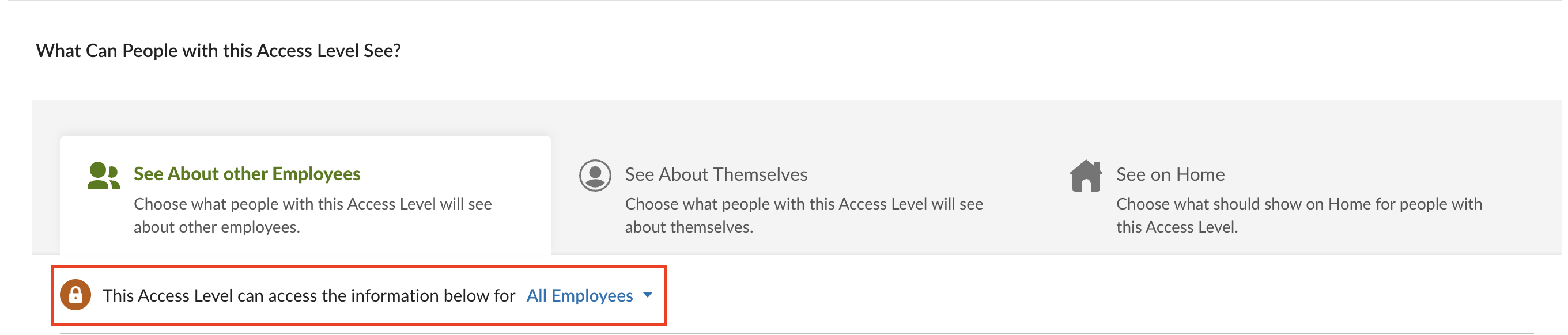
- Under the Personal section, enable View access for the following:
- Basic Information:
- Status
- Employee Number
- First Name
- Last Name
- Preferred Name
- Address:
- Address Line 1
- Address Line 2
- City
- State
- Zip Code
- Country
- Contact:
- Mobile Phone
- Work Phone
- Work Email
- Home Email
- Basic Information:
- Under the Job section, enable View access for the following:
- Hire Date
- Original Hire Date
- Direct Reports
- Team
- Employment Status
- Employment Status Date
- Employment Status
- Termination Type
- Job Information
- Job Title
- Department
- Division
- Location
- Job Information Date
- Reporting To
- (Optional for Dependents data) Under the Benefits section, enable View access for the following:
- Dependents - all relevant fields for your use case
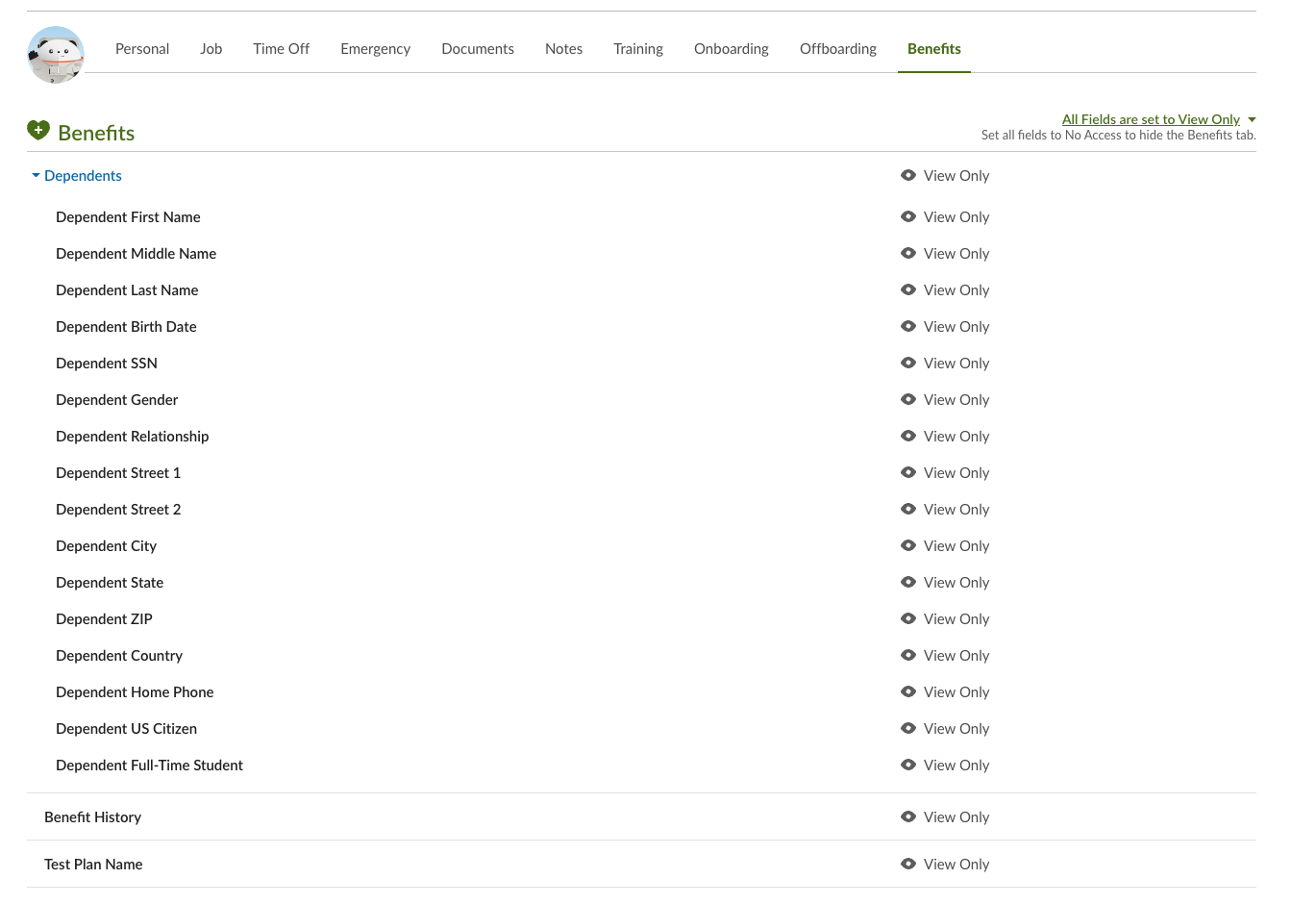
- Dependents - all relevant fields for your use case
Step 2: Edit the access level for your information
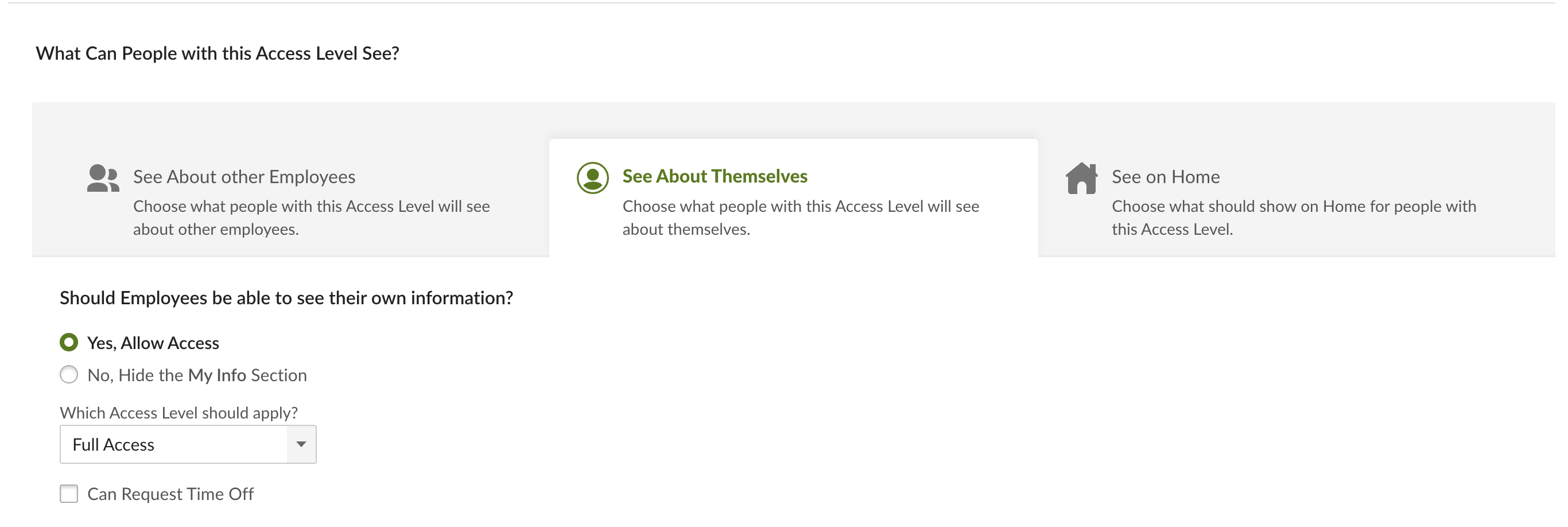
- Select the "See About Themselves" option
- Choose "Yes, Allow Access" for the "Should Employees be able to see their own information?" question
- Choose "Full Access" for "Which Access Level should apply?"
- This means that the BambooHR Employee with this custom access level can see the same information for themselves.
- This means that the BambooHR Employee with this custom access level can see the same information for themselves.