This article applies specifically to organizations using the HRIS Sync integration.
Overview
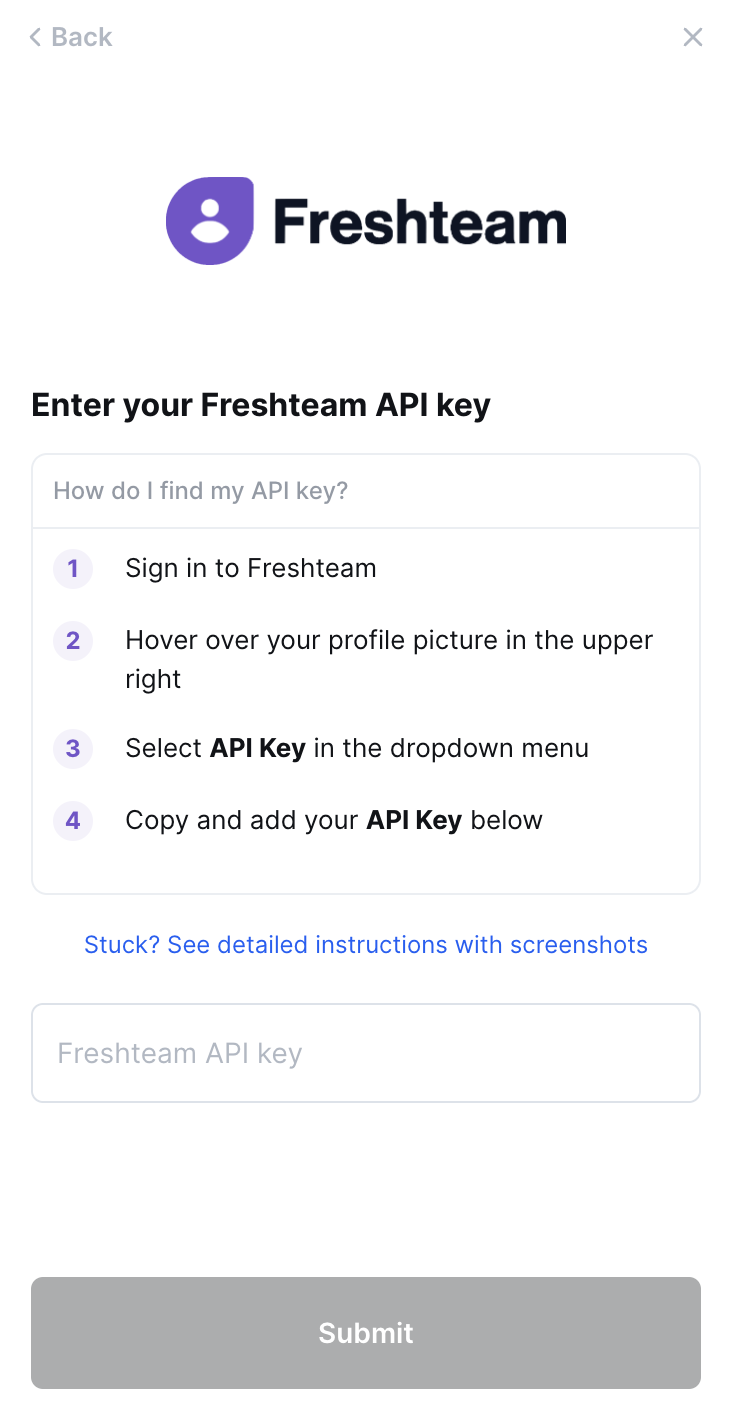
To authenticate Freshteam, you will need to provide the following information:
- API Key
This guide will walk you through finding or creating those credentials within Freshteam.
Instructions
Step 1: Find your Freshteam subdomain
- This will be a prefix between
https://and.freshteam.com - Copy it to your clipboard
Step 2: Find your API key
- Log in and hover over your profile image in the top-right corner of any page
- Select API Key in the dropdown menu
- Copy the API key
- Paste the API key into the linking flow
Fields ContactMonkey can sync from Freshteam
When you connect Freshteam with HRIS Sync, ContactMonkey can pull the fields below into your Directory. A field only fills in if it has a value in Freshteam and the account you used to connect has permission to read it.
Employee fields
| Field | What it contains |
|---|---|
| First name | The employee's first name. |
| Last name | The employee's last name. |
| Preferred first name | The first name the employee prefers to go by. |
| Full name | The employee's full name. Uses the preferred first name when one is available. |
| Work email | The employee's work email address. |
| Personal email | The employee's personal email address. |
| Mobile phone number | The employee's mobile phone number. |
| Profile photo | A link to the employee's profile photo. |
| Employee number | The employee number shown in your HRIS. |
| Employment status | Whether the employee is active, pending or inactive. |
| Start date | The date the employee started. For rehired employees, this is the most recent start date. |
| Termination date | The employee's termination date. |
| Manager | The employee's manager. |
| Groups | The departments, teams and other groups the employee belongs to. See Group fields below. |
| Work location | The employee's work address. See Location fields below. |
| Home address | The employee's home address. See Location fields below. |
| Date of birth | The employee's date of birth. |
| Gender | The employee's gender. |
| Ethnicity | The employee's ethnicity. |
| Marital status | The employee's filing status as related to marital status. |
Group fields
Groups are how Freshteam organizes employees, such as departments and teams.
| Field | What it contains |
|---|---|
| Group name | The name of the department, team or other group. |
| Group type | The kind of group as labelled in your HRIS, such as department, team, cost center or business unit. |
Location fields
Location fields describe an employee's addresses.
| Field | What it contains |
|---|---|
| Location name | The name of the location. |
| Location type | Whether the address is a work or home address. |
| Street address line 1 | Line 1 of the street address. |
| City | The city. |
| State or region | The state, province or region. |
| Zip or postal code | The zip or postal code. |
| Country | The country. |
Fields not available from Freshteam
Freshteam doesn't share these fields through HRIS Sync: Username, Record created date, Social security number, Parent group, Street address line 2, Location phone number.