ContactMonkey's HiBob integration pulls employee data from HiBob into ContactMonkey through our HRIS connection. Once connected, the HiBob employee records that you approve will flow into ContactMonkey and refresh on a regular schedule, so you can build and target internal communications against up-to-date org data.
The connection uses OAuth for a secure, one-click authorization. You sign in to HiBob once, approve the permissions ContactMonkey needs, and you're connected. No API keys, service users, or manual token handling required.
The integration is read-only. ContactMonkey reads employee data from HiBob to keep your lists current; it never writes data back into HiBob.
Overview
To authenticate HiBob using OAuth, you will need to provide the following information:
- App ID
- Client ID
- Client secret
Please ensure you fulfill all the requirements to set up the integration:
- You have Administrator permissions in your company's HiBob instance
Already connected to HiBob on the legacy method? HiBob is retiring its older Service User authentication. If your HiBob connection was set up before the move to OAuth, you'll need to reconnect once using the steps below to switch it to OAuth. It's the same quick one-click flow but it has to be done per HiBob account rather than in bulk.
Instructions
Link an account through ContactMonkey's HRIS Sync linking flow.
Navigate to ContactMonkey Directory > Sources > HRIS Sync to configure the connection.
- Click on HiBob as the HRIS Integration of your choice
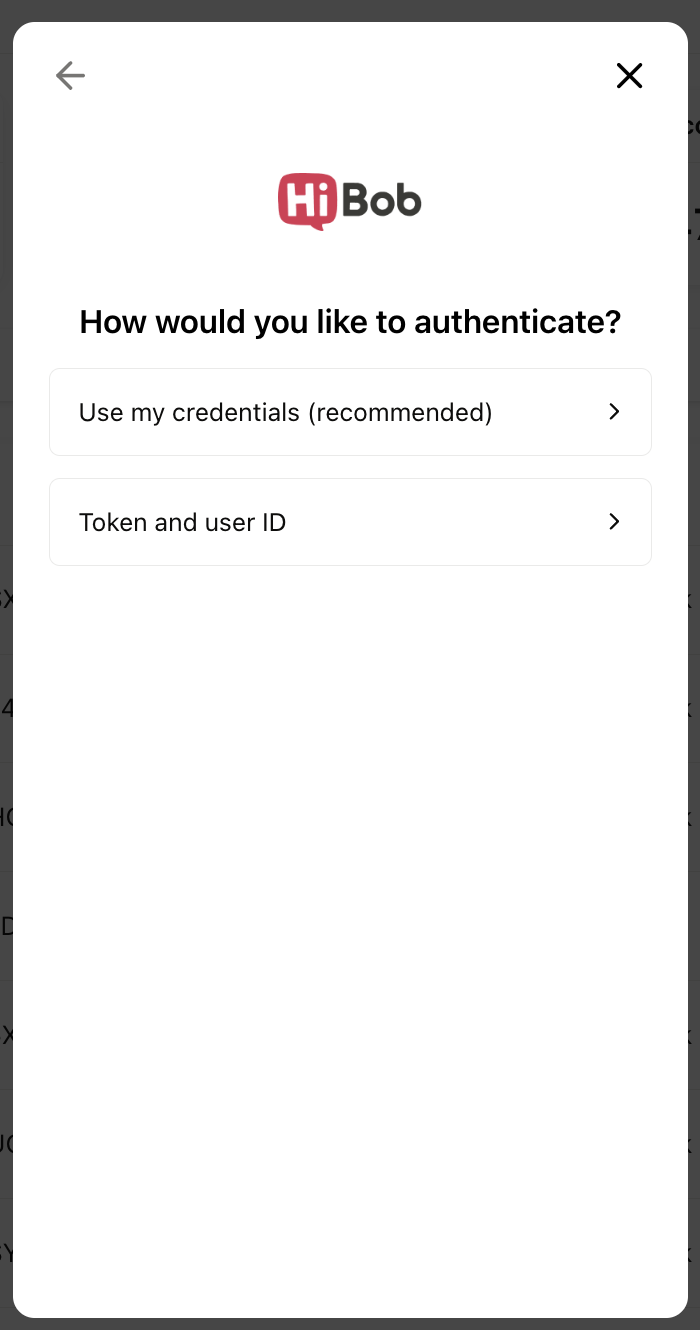
- Authenticate with Use my credentials.
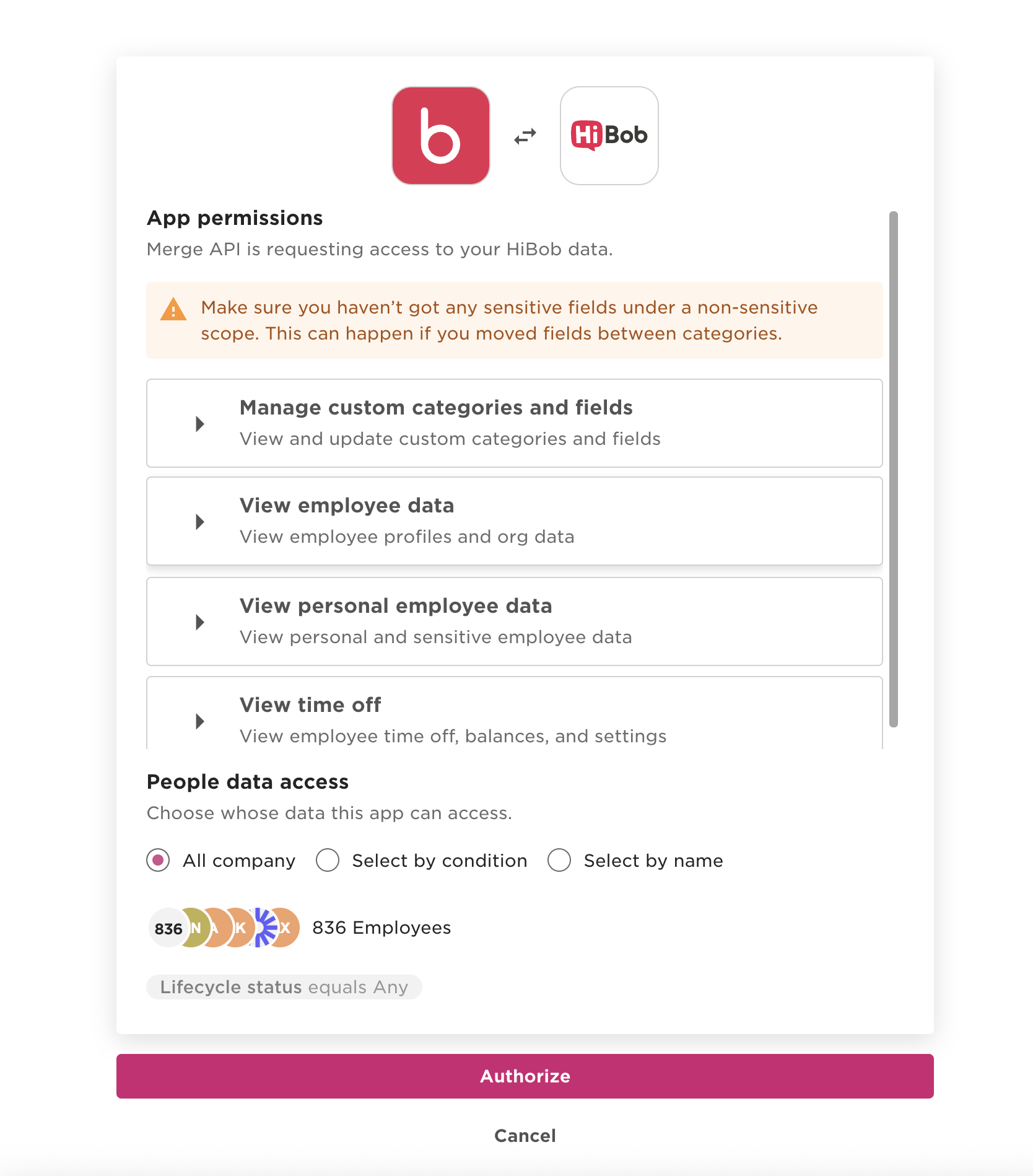
- Approve the permissions that ContactMonkey will have read-only access to.
When prompted sign in to HiBob and authorize the OAuth app.
- After proceeding through the rest of linking flow, you are done! Initial sync of data has begun.
How data syncs
Direction: One-way, HiBob → ContactMonkey. Data is read from HiBob into ContactMonkey; nothing is written back to HiBob.
The exact fields available depend on your HiBob configuration and the permissions you approved during setup.
How often it syncs: ContactMonkey refreshes HiBob data automatically on a regular schedule, and you can trigger an on-demand re-sync at any time by going back into the integration flow pop-up modal and Re-linking the account.